Your couple already picked the songs. Let Zen do the rest.
ZenSync reads a Zenvents360 event and builds the set folders in your own DJ library - matched to your files, filed by the part of the evening, ready in about a minute.
✓ Free, and always will be • ✓ Runs entirely on your own machine • ✓ Version 0.3.0
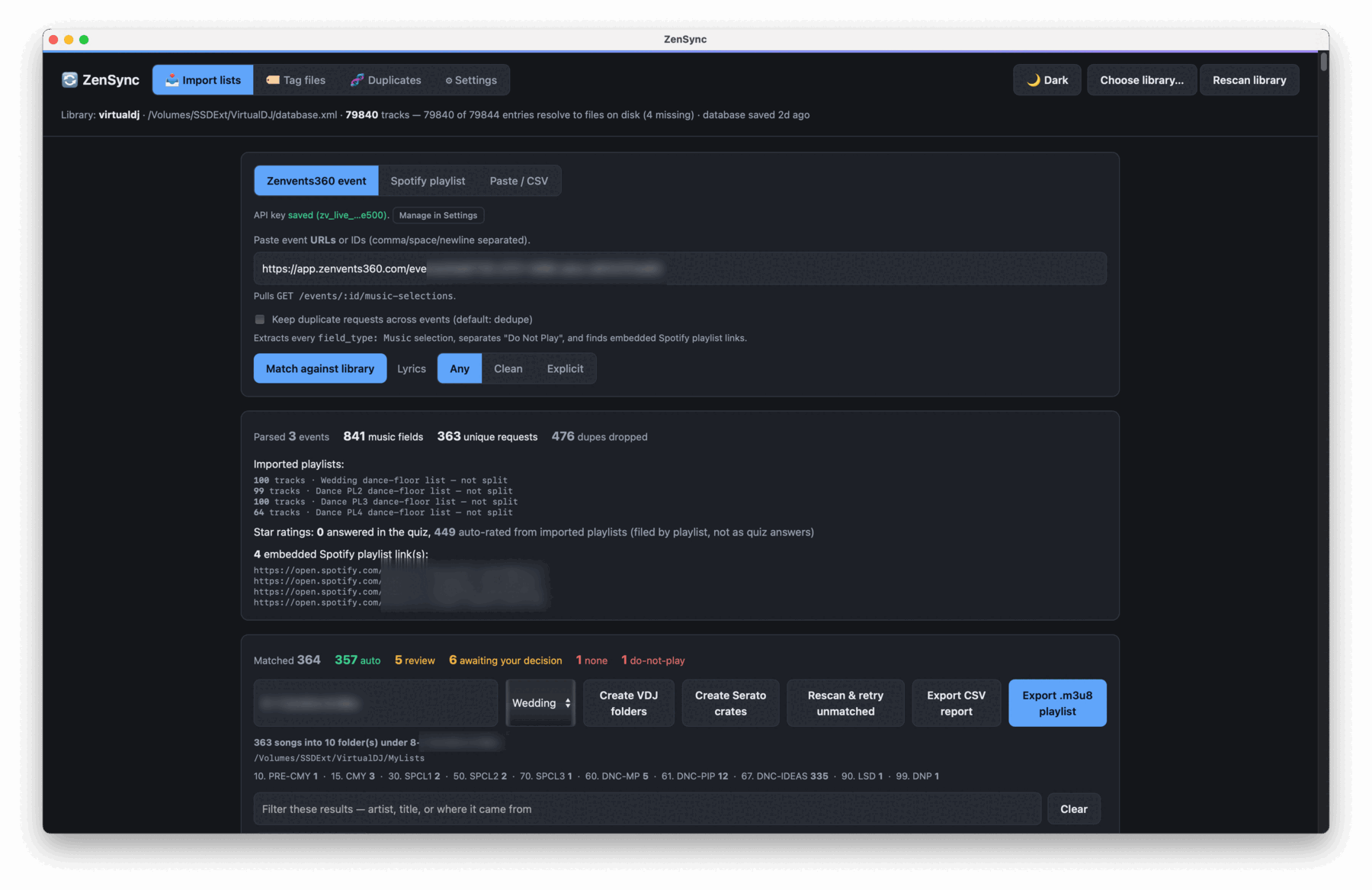
Every event gets lots of important requests. ZenSync matches against your library, warns you what's missing, and exports to VDJ or Serato.
Prep is the part nobody books you for
The music comes in over months - a must-play here, a first dance there, a Spotify playlist the couple built at midnight, and a do-not-play list you cannot afford to get wrong. Then you sit down the week of the event and find every one of those songs by hand, in a library of tens of thousands of files, and build the crates yourself.
It is an evening's work per event. ZenSync does it in about a minute.
Three steps, once per event
No setup beyond pointing it at the library you already have.
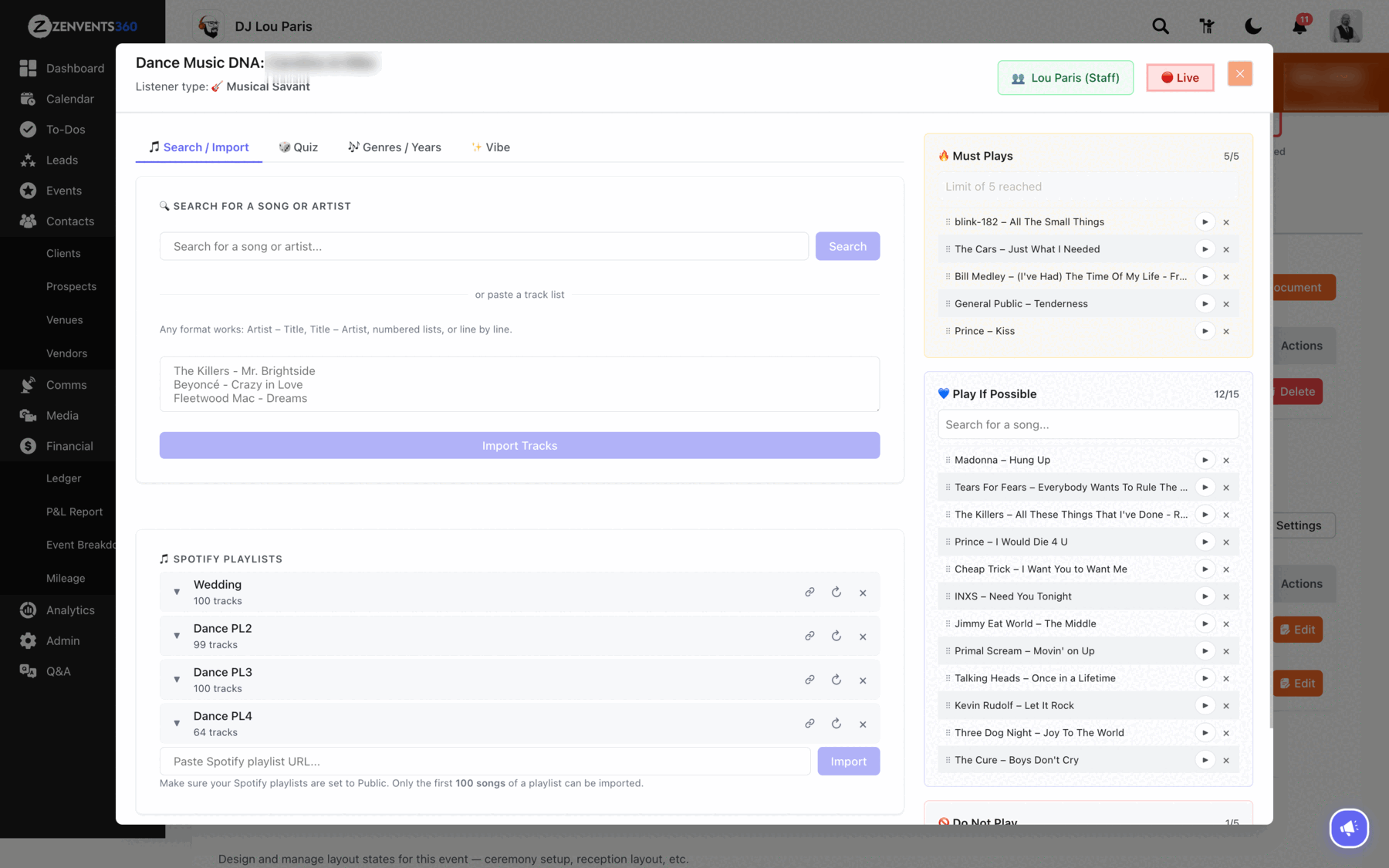
Paste the event link
Every music field comes across - ceremony, first dance, cake cutting, last dance, the must-plays, the do-not-plays, and any Spotify playlists your couple imported into their Music DNA.
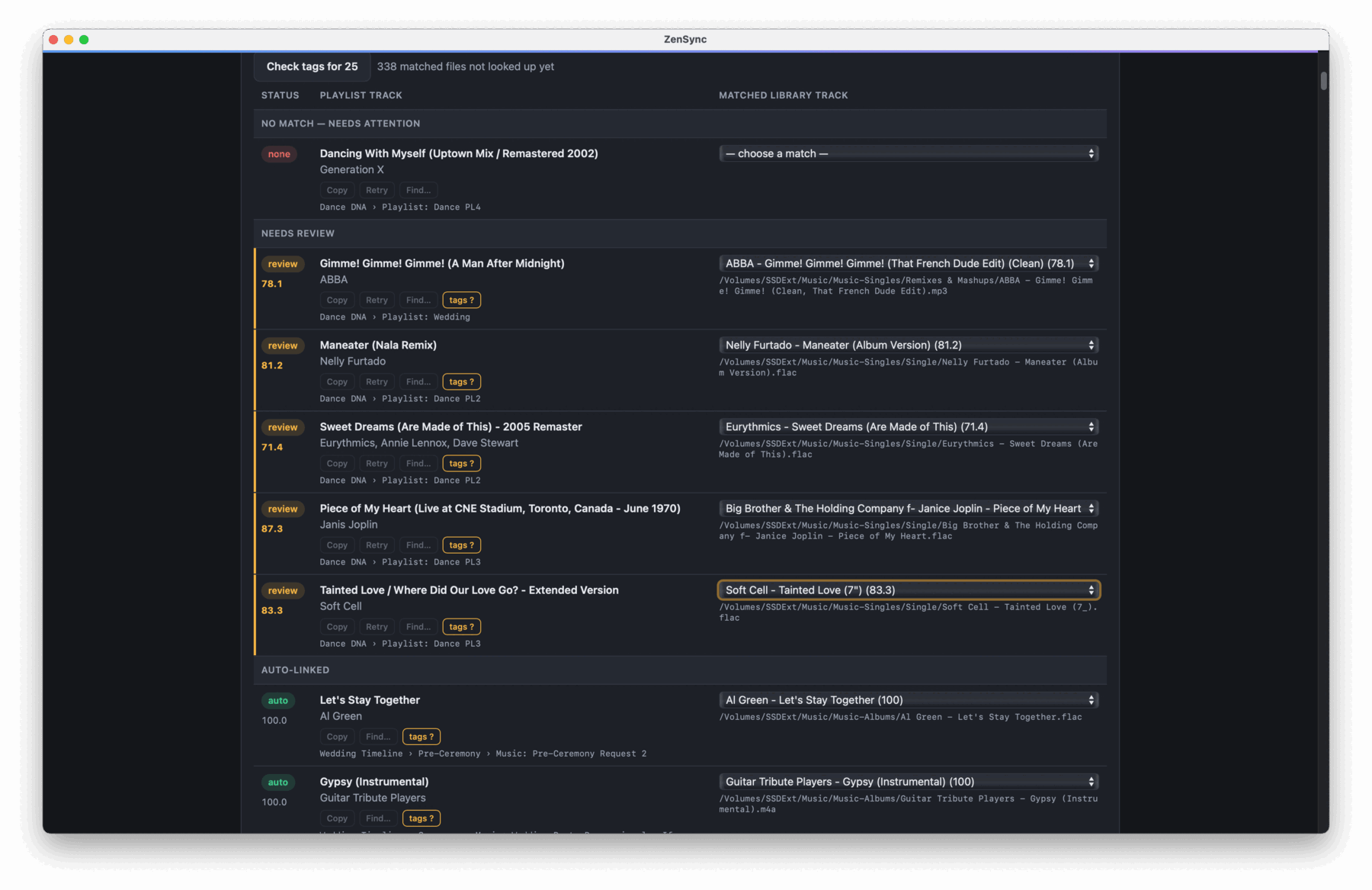
ZenSync links your library's songs
It matches against your actual files, using the paths your DJ software already knows. And easily add new songs and rescan in seconds.
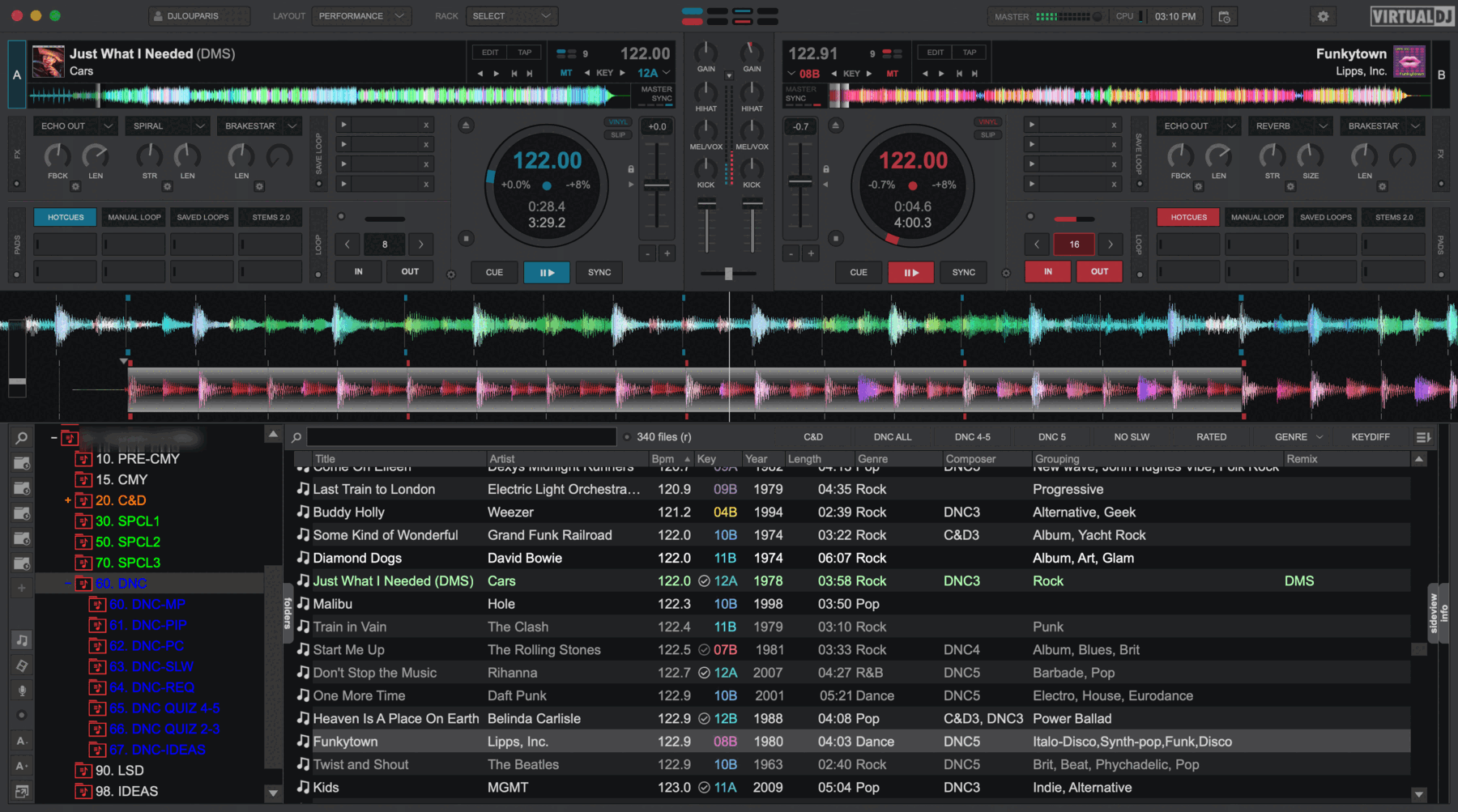
Auto-create your event's structure
VirtualDJ folders or Serato crates, numbered and filed by the part of the evening each song belongs to. Even sorting every critical song.
Finding the title is easy. Finding the right file is the job.
Your library holds five copies of some songs, and only one of them is the one you actually play. ZenSync is built around that problem.
It picks the right copy, not just the right title
If you have rated an edit in your library, ZenSync knows you prefer it over the album cut. It reads the ratings you already keep in your own tags.
It knows a re-record from the original
Ask for a 2008 song and you get the 2008 recording, not the version re-cut a decade later that happens to share its name.
It survives messy song titles
Apostrophes, accents, "feat.", & versus and, punctuation inside a word. A request written as D.A.N.C.E. still finds the file called Dance.
Do-not-play actually means something
A banned artist takes their whole catalogue with them, into a folder you can see rather than a list you have to remember.
Clean or explicit, per event
One switch for the whole event. A corporate lunch and a late-night reception want different cuts of the same song, and your library usually holds both.
You confirm before anything is written
Every match arrives in a review table with alternates. Confident matches are ticked, anything doubtful waits for you, and nothing exports until you say so.
What it works with
- VirtualDJ - reads your library and writes populated MyLists folders, in the running order the timeline sets.
- Serato - reads your crates and writes new ones, to the right drive. Serato keeps a library per drive, and ZenSync writes where your music actually lives rather than where it guesses.
- Anything else - plain
.m3u8playlists with real file paths, plus a CSV report of what matched and what did not.
Requirements
- macOS or Windows
- Both platforms get the same features. ZenSync is lightweight, so if your machine already runs VirtualDJ or Serato, it will run ZenSync.
- A Zenvents360 account
- For the event connector. Everything else - matching a pasted list or a Spotify playlist against your library - works without one.
- Your library, where it is
- ZenSync runs on your machine and reads your drives directly. Nothing is uploaded, and your music never leaves your computer.
Free, because it makes Zenvents360 better
ZenSync is how your event planning turns into the crates you actually play from. It costs nothing, there is no licence to manage, and the only thing it asks for is the event link you already have.
Not a Zenvents360 user yet? Start a free trial and connect ZenSync in about two minutes.